Author name: aspiringplugins

Top Order Approval plugin for WooCommerce

Here are the few Order Approval plugins are listed below,  1. Order Approval for WooCommerce– by Addify 2. Ultimate Order Approval for WooCommerce – by AspiringPlugins 1. Order Approval for WooCommerce Why do you need Order Approval for WooCommerce? Some customers and orders require special handling. Order Approval for WooCommerce helps you manage your shop and ensure customer satisfaction with their orders. B2B orders For wholesale bulk orders, you may want to review the orders and check the availability status before you confirm the order. Order Approval for WooCommerce extension offers you a seamless solution to manually validate new orders based on user roles or specific products or categories in shopper carts. with this extension, you can choose to receive payment before or after orders confirmation. Add custom messages on your checkout page to notify customers about order approvals, and display a visual order-status update on My Account pages. Features Manually approve new orders Receive payment before or after validation Validate all or specific orders based on User roles Products in carts (products, product categories, or tags) Display order status information on the order detail page (My Account) Email notifications for admin and customers about order statuses Know More > 2.Ultimate Order Approval for WooCommerce Why you should choose Ultimate Order Approval By default, WooCommerce processes every order automatically, regardless of its value or risk. This leaves your store vulnerable to fraud, mistakes, and wasted resources. Ultimate Order Approval puts you back in control. With smart rules, flexible approval flows, and automated reminders, you decide which orders get approved and when customers should pay. It’s like adding a safety net to your checkout while keeping the experience smooth for genuine buyers. Perfect for: B2B stores needing purchase validation before fulfillment. Custom product sellers who want to review details before production. Stores handling high-value orders where fraud prevention matters most. Features Order approval dashboard: Track, manage, and review all flagged orders in one place. Smart approval rules: Set rules by customer, product, category, shipping method, or cart total. Approve before or after payment: Full flexibility to decide how and when payment happens. Post-approval expiration timer: Automatically expire approvals if payment isn’t completed in time. Conditional payment gateways: Show or hide payment methods when approval rules apply. Country-based restrictions: Enable order approvals only in selected regions. Email notifications: Keep admins and customers updated at every step. Custom payment reminders: Send tailored reminders at intervals to recover pending payments. Order progress display: Show approval steps in a clean horizontal or vertical layout. Pay later after approval gateway: Let customers place orders without upfront payment and pay only once approved. Benefits Streamlined order management Advanced control over order approvals. Fraud protection. Flexible payment handling. Targeted communication. Boost conversions with reminders. Know More > WooCommerce Points and Rewards Addon March 30, 2024 Top 3 WooCommerce Points and Rewards Addons below, 1. Exporter for WooCommerce Points and Rewards  –… Read More WooCommerce Subcriptions Addon for Price Update March 30, 2024 Top 3 Subcriptions Addons for Price Update below, 1. Bulk Updater for WooCommerce Subscriptions –… Read More Top 5 WooCommerce Refunds March 30, 2024 WooCommerce Refunds Plugin below, 1. Ultimate Refunds – by AspiringPlugins 2. YITH Advanced Refund… Read More

Top Order Approval plugin for WooCommerce Read More »

Top 5 Quotation Request for WooCommerce Plugins

Here are the few Quotation for WooCommerce Plugins are listed below,  1. YITH Request a Quote for WooCommerce– by YITH 2. Request a Quote for WooCommerce – by  Addify 3. WooCommerce Cart To Quote Plugin  – by  codeincept 4. B2B Request a Quote for WooCommerce – by WPExperts 5. Quote Request for WooCommerce – by Flintop 1. YITH Request a Quote for WooCommerce How does it Work? The plugin for hiding prices, disabling shopping carts, and encouraging customers to request a quote for products in your store.  Benefits sell products and services without a fixed price to your catalog and give customers the option to request custom quotes. Hide price and Add to cart button for every product to push customers to contact you to receive a tailored offer for their needs. Hide prices from your competitors to build a competitive pricing strategy. Leverage on the scarcity principle by sending temporary quotes and notifying customers when the offer is about to expire to encourage them to purchase immediately. Easily manage every step of the quote process. When a customer accepts the quote, he will be redirected to the checkout page to pay and the quote will be converted to an order. Create quotes manually for customers that reach you by phone or physically in your shop/office. Features. Choose where to show the “Add to quote button” . Choose who will see the “Add to Quote button”. Customize the button Color and Text. Hide the Product prize and “Add to Cart” button. Customize the quote request page. Use the Customize and built-in form. Enable the option to “Accept” or “Reject a quote. Enable the “Ask for quote” button on the checkout page. Know More > 2. Request a Quote for WooCommerce Add a quote button on specific products to let customers add products to a quote basket just like they add products to the cart and submit the quotation by filling a simple quote form. Create multiple rules to show the quote button for selected user roles, products, and categories. You can also hide prices and replace the “add to cart” button with the quote button. This feature comes in handy when you want to hide prices for wholesale, retailers, and other B2B customers and force them to ask for price estimates. You can choose to enable the offered price column to let customers add their offered price for each product in the submitted quote. Features Create a complete quotation management system Display “Add to Quote” on selected products Show quote button for guests and selected user roles Option to Replace “Add to Cart” with the new “Quote” or a custom button & link Option to hide price and replace with custom text Add multiple products to quote basket Keep products in a mini quote basket just like a mini cart Customize Quote button text Choose from single or 2 column layout for quote submission page (New) Add unlimited fields to the quote submission form Ability to sort fields and make them mandatory or option Supports multiple field types (Text, email, number, dropdown, checkbox and more) (New) Automatic email notifications for admin & customers Customize quote submission messages Redirect after quote form submission Attach quote to multiple menus Assign quote status (Pending, in process, canceled, etc) Send email notifications to the customer on status change Create quotes from the backend and email them to customers Convert quote into order Allow customers to offer price Option to show standard price in quote basket, my account, and quote emails Edit price and covert quote into order Disable request a quote button for specific product variation Option to override and customize email templates, quote basket, and quote detail page Generate quote PDF and attach with the emails (New) Know More > 3. WooCommerce Cart To Quote Plugin WooCommerce Cart to Quote plugin allows store owners to enable quotation inquiry for registered or guest customers. The quotation forms can be created with Gravity Forms plugin or Contact Form 7 plugin. The Cart to Quote plugin will help to add the quotation form in the cart page. The customers can submit the cart inquiry from cart page. Admin can disable or enable checkout for registered or guest customers so that customers can only submit the cart as an inquiry. Features Customers can submit the shopping cart for quotation inquiry. Separate settings for registered & guest users. Hide price for all products. Show custom text instead of price. Change add to cart button text. Enable checkout restriction and use the cart for quotation. Supports Gravity Forms & Contact Form 7 to create quotation forms. Send cart content in the email with created forms. Show quote form on the cart page at different locations. Show quote form on the cart page in the popup. Know More > 4. B2B Request a Quote for WooCommerce Enhance your WooCommerce store’s versatility by enabling customers to request custom quotes for any product with the best request a quote plugin. With the Quote for WooCommerce extension, a Request a Quote button is added to your shop, product, and cart pages, giving customers an easy way to reach out for tailored pricing. This request-a-quote plugin is especially ideal for B2B companies looking to simplify complex orders and bulk sales. You can hide prices and add-to-cart buttons for specific products, allowing customers to create personalized quote requests and negotiate prices. Designed for flexibility, this WooCommerce RFQ plugin includes an advanced form builder to tailor the quote page to your needs, with customizable fields for text, email, numbers, and more. Whether you’re catering to B2B, retail, or guest customers, this quote plugin ensures a seamless quote process, enhancing customer engagement and loyalty.Enhance your WooCommerce store’s versatility by enabling customers to request custom quotes for any product with the best request a quote plugin. With the Quote for WooCommerce extension, a Request a Quote button is added to your shop, product, and cart pages, giving customers an easy way to reach out for tailored pricing. Features Request a Quote Button Hide Price & Add-to-Cart Advanced Form Builder Flexible

Top 5 Quotation Request for WooCommerce Plugins Read More »

Top 5 WooCommerce MultiCurrency Switcher plugins

Here are the few Multi Currency Switcher plugins for WooCommerce are listed below,  1. CURCY – WooCommerce Multi Currency – Currency Switcher– by villatheme 2. FOX – WooCommerce Currency Switcher Professional – Multi Currency [WOOCS] – by  realmag777 3. TIV Multi-Currency for WooCommerce – by  TIV.NET INC. 4. YITH Multi Currency Switcher for WooCommerce – by YITH 5. YayCurrency – WooCommerce Multi-Currency Switcher – by YayCommerce 1. CURCY – WooCommerce Multi Currency – Currency Switcher  WooCommerce Multi Currency allows your customers to switch between currencies and your store can accept payments in multi-currency. The exchange rate can be set up manually or automatically. The plugin can automatically get customers’ geolocation and display the price in the customers’ native currency. Features Multiple Currency Browsing and Checkout Auto Detection -Approximate Pricing Flexible Exchange Rate Control Custom &Fixed Pricing per Currency Security and Updates. Integration and Compatability Language and Geolocation Rules. Know More > 2. FOX – WooCommerce Currency Switcher Professional – Multi Currency WooCommerce Currency Switcher Professional – FOX (former name is WOOCS) is WooCommerce multi currency switcher plugin, that allows elevate your WooCommerce store.With real-time currency rates, your customers can effortlessly switch between different currencies and view product prices tailored to their preferences. Whether they choose to pay in their selected currency or stick to the default, our plugin provides a seamless and user-friendly experience. Additionally, you have the flexibility to add any currency to your WooCommerce store, catering to a global audience. Unlock the full potential of your e-shop with the best WooCommerce currency switcher plugin available. Features Decimal Precision Currency Symbols Currency Symbol Position Hide Cents for Specific Currencies Compatible with caching plugins Ready for use on mobile devices Work fast with less queries to DataBase Benefits Representation Design Checkout Rates Rate auto Update Price Custom money Designs Custom Price Formats  Smart Designer Statistic Payment Rules Welcome Currency Individual based on user role Show Approximate price Compatability with Cache plugins New Order Currency Order Recount Price Info ICon Short code Know More > 3. TIV Multi-Currency for WooCommerce Multi-currency support for WooCommerce. The exchange rate can be set up manually or automatically. The plugin can automatically get customer’s geolocation and display the price in the customer country’s currency. Features User Choose the currency using a sidebar widget See the prices recalculated automatically Pay in the selected currency Administrator: Add one or more additional currencies, keeping the base prices in the default currency of the Store Round the prices after conversion Add the conversion commission Use the “price charming” Know More > 4. YITH Multi Currency Switcher for WooCommerce Enable a multi-currency system in your shop and allow users to see and pay for products in their own local currency Benefits Make your e-commerce store ready for international sales and add an unlimited number of currencies. Show a currency switcher everywhere on your site to allow users to see prices and pay in their favorite currency Geolocate users and automatically show prices in the currency of their origin country. Create custom rules to set which currencies need to be shown to users from specific countries. Hide specific payment methods to users who are paying in a specific currency. Set exchange rates manually or use the API to update them automatically from different sources (like the European Central Bank) Set optional exchange fees to cover the fees applied by the bank or by the money transfer operator. Features Enable currencies in shop Currencies Rates Geolocation Options Multi-Currency options in Products and Coupons Multi-Currency options in Shopping costs. Payment Options. Tools,Shortcuts and Widgets. Know More > 5. YayCurrency – WooCommerce Multi-Currency Switcher YayCurrency makes it easy to offer a localized shopping experience no matter where your buyers are. It is a powerful yet easy-to-use WooCommerce multi-currency switcher that helps you grow your international sales by letting customers shop and pay in their local currency. HOW IT WORKS Choose your default currency in WooCommerce > Settings > Currency options. Then click on Configure multi-currency to start adding other currencies. When a new currency is added, it takes on your WooCommerce store’s default currency format, including currency symbol position, thousand separator, decimal separator, and number of decimals. Then, you can localize each currency by changing the formatting options in the currency’s drawer panel. Features Currency Switcher on Product Page. Customize Currency Switcher Drop-down. WooCommerce Sales Reports. Pretty Price Ending Manage Conversion Fee Multiple Currency Switcher Widgets Switchable During Checkout Unlimited Currencies Price Based on Country Comprehensive Analytics by Currency Know More > WooCommerce Points and Rewards Addon March 30, 2024 Top 3 WooCommerce Points and Rewards Addons below, 1. Exporter for WooCommerce Points and Rewards  –… Read More WooCommerce Subcriptions Addon for Price Update March 30, 2024 Top 3 Subcriptions Addons for Price Update below, 1. Bulk Updater for WooCommerce Subscriptions –… Read More All in One Add-on for WooCommerce Subscriptions June 12, 2025 This plugin offers additional features to WooCommerce Subscriptions. such as multiple… Read More

Top 5 WooCommerce MultiCurrency Switcher plugins Read More »

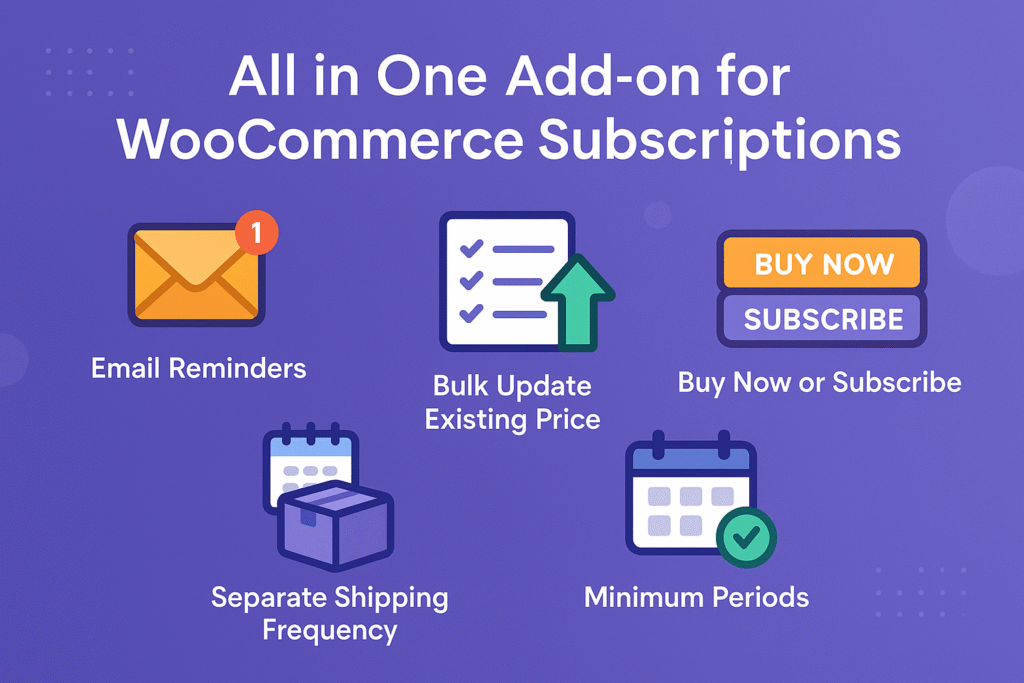
All in One Add-on for WooCommerce Subscriptions

This plugin offers additional features to WooCommerce Subscriptions. such as multiple email reminders, bulk update existing subscription’s price, buy now or subscribe, cancellation minimum periods, switching minimum periods, separate shipping frequency, etc. Why do you need this Extension? Based on the extensive feedback and numerous feature requests for the WooCommerce Subscriptions plugin, we’ve identified several popular and practical enhancements that integrate seamlessly with the core plugin. These include multiple email reminders, bulk updates to subscription pricing, the ability to offer “Buy Now or Subscribe” choices, minimum subscription terms, independent shipping frequency settings, and more. To simplify access, we’ve combined all these valuable features into one comprehensive solution: the All-in-One Add-on for WooCommerce Subscriptions.   Features Email Reminders Feature: Multiple email reminders can be sent for days, weeks, months and years. Sends automatic reminders before a customer’s subscription trial ends. Sends automatic reminders before a subscription payment is due that requires a manual payment. Sends automatic reminders before an automatically recurring renewal payment is due. Sends automatic reminders before a subscription expires. Sends automatic reminders after a subscription expired. Reminders for existing subscriptions can be scheduled in a single click. Setup custom email templates to send different email content for various reminder intervals for their customers. Site admin can test custom email templates instantly by sending email. Site admin can track reminder email activity in the subscription notes.    Existing Subscriptions Price Update Feature: Single click to update prices on existing subscriptions using products and users filter instantly. Using bulk actions, select your subscriptions and apply “update subscription price and notify”. Price updates can be made for individual subscriptions. Adds a subscription note after subscription prices are updated. Customers are notified instantly when the subscription price is updated. Separate Shipping Frequency Feature: It can be configured for the subscription’s billing. Site admin can easily configure it via rules or storewide. Site admin can disable this feature sitewide in a single click. Site admin can restrict to specific product & product categories. Site admin can restrict to specific users & user roles. Buy Now or Subscribe Feature: Supports Product and Cart level subscribe. Site admin can easily configure it via rules or storewide. Site admin can disable this feature sitewide in a single click. Supports subscribe now option in shop or category pages. Site admin can display their own subscription message under shop, single product, cart & checkout pages. Site admin can restrict their customers to specific countries. Site admin can restrict the product level subscriptions to specific product & product categories. Site admin can restrict the product / cart level subscriptions to specific users & user roles. Site admin can restrict the cart level subscriptions to minimum & maximum cart subtotal Minimum Periods – Cancellation Feature: It can be configured for subscription cancellation. Site admin can hide cancel button after number of days from the subscription start date. Site admin can hide cancel button after renewal from the last order date. Site admin can hide cancel button number of days before the subscription next payment date. Site admin can easily configure it via rules or storewide. Site admin can control it to specific product & product categories. Site admin can control it to specific users & user roles.  Minimum Periods – Switching Feature: It can be configured for subscription switching. Site admin can hide switching button after number of days from the subscription start date. Site admin can hide switching button after renewal from the last order date. Site admin can hide switching button number of days before the subscription next payment date. Site admin can easily configure it via rules or storewide. Site admin can control it to specific product & product categories. Site admin can control it to specific users & user roles.   Benefits Flexible and easy to configure in case of high volume stores. Potentially increases site admin revenue. Lure new customers. Lowers admin workload. Highly customizable Know More > WooCommerce Points and Rewards Addon March 30, 2024 Top 3 WooCommerce Points and Rewards Addons below, 1. Exporter for WooCommerce Points and Rewards  –… Read More WooCommerce Subcriptions Addon for Price Update March 30, 2024 Top 3 Subcriptions Addons for Price Update below, 1. Bulk Updater for WooCommerce Subscriptions –… Read More Top 5 WooCommerce Refunds March 30, 2024 WooCommerce Refunds Plugin below, 1. Ultimate Refunds – by AspiringPlugins 2. YITH Advanced Refund… Read More Top 5 WooCommerce Deposits Plugins March 30, 2024 Here are few WooCommerce Deposits Plugins below, 1. Ultimate Payment Plans for WooCommerce –… Read More Top 5 WooCommerce Booking Plugins March 3, 2025 Here are the few Booking Plugins for WooCommerce are listed below,  1. WooCommerce Bookings– by… Read More

All in One Add-on for WooCommerce Subscriptions Read More »

Top 5 WooCommerce Booking Plugins

Here are the few Booking Plugins for WooCommerce are listed below,  1. WooCommerce Bookings– by Woo 2. YITH Booking and Appointment for WooCommerce – by Yith 3. RnB – WooCommerce Booking & Rental Plugin – by  redqteam 4. WooCommerce Bookings And Appointments – by PluginHive 5. Bookings for WooCommerce – by WP Swings 1.WooCommerce Bookings Let your customers book reservations, appointments or rentals on their own – no phone calls required. Save yourself time and fill up your calendar by letting your site do the work for you. Whatever options you want to offer to your customers, Bookings makes it possible: Define set options, like fixed time slots for a class, appointment or guided tour Let customers choose the times that work best by giving them the flexibility to book whatever range they need, like checking into a hotel. With either option, you can also block time off as un-bookable, leaving you time to take care of your other priorities and create buffers between bookings, to make sure the schedule works for you. Get as specific as you want with your time slots—the extension allows for bookings in days, hours, even minutes. Know More > 2. YITH Booking and Appointment for WooCommerce How Does it work? Enable a booking/appointment system to manage renting or booking of services, rooms, houses, cars, accommodation facilities and so on.  Benefits Create your own Airbnb site. Configure daily or hourly booking and manage appointments for each kind of service. Rent anything in your site. Manage hotel bookings, but also travels, experiences, and events. Know More > 3. RnB – WooCommerce Booking & Rental Plugin How Does it work? Look no further than the RnB – WooCommerce Booking and Rental Plugin. This hassle-free solution simplifies installation and setup. Seamlessly rent out an array of items, from cars and bikes to dresses, tools, and gadgets, and many more. Renowned as a top-selling WooCommerce booking plugin, it empowers you to expand effortlessly. RnB is packed with all necessary rental and booking features, including Hourly range pricing, Inventory management, and support for variations. Benefit from the flexibility of managing payable resources and accommodating various user numbers. This Plugin ensures compatibility with the latest versions of WooCommerce and WordPress, ensuring optimal performance. Features Inventory Management Availability Management Order Management Booking Notifications Payment Gateway User Dashboard Multilingual Unlimited Bookable Products Product Availability Control Monthly Pricing Day Range Pricing Handle Holidays Customer Dashboard Know More > 4. WooCommerce Bookings And Appointments WooCommerce Bookings and Appointments, you can streamline your scheduling process and offer a convenient booking system for your customers. Whether you are a salon, spa, consultant, or any other service-based business, this plugin can help you manage your appointments and bookings with ease. Features Bookings Availability Bookings Pricing. Bookings Participants. Bookings Resources. Bookings Compatability. Staffs Management. Sync Multiple product Bookings-Create Global Assests. Know More > 5.Bookings For WooCommerce  Bookings plugin is a powerful plugin that enables store owners to create an online appointment booking system that allows them to turn their products into online WooCommerce booking solutions and make them available to customers for a set period of time. You can now simply book time slots utilizing the WordPress booking plugin, confirm/reject bookings, display reservation calendar listings, enable booking cancellations, promote booking availability, regulate booking duration, and much more using the WooCommerce Bookings plugin’s capabilities. Features Booking Spotlight No Slots, No Selection Offer Bookings Availability Settings Cost Concealment Projected Availability Timeline Advanced Booking Filter Easily Access Booking Links Prompt Pop-Up For Cancellation Toggle between Single Calendar & Dual Calendar Enable WordPress Bookings Know More > WooCommerce Points and Rewards Addon March 30, 2024 Top 3 WooCommerce Points and Rewards Addons below, 1. Exporter for WooCommerce Points and Rewards  –… Read More WooCommerce Subcriptions Addon for Price Update March 30, 2024 Top 3 Subcriptions Addons for Price Update below, 1. Bulk Updater for WooCommerce Subscriptions –… Read More Top 5 WooCommerce Refunds March 30, 2024 WooCommerce Refunds Plugin below, 1. Ultimate Refunds – by AspiringPlugins 2. YITH Advanced Refund… Read More Top 5 WooCommerce Deposits Plugins March 30, 2024 Here are few WooCommerce Deposits Plugins below, 1. Ultimate Payment Plans for WooCommerce –… Read More Feature Wise Best WooCommerce Deposits and Payment Plans Plugins Comparison January 12, 2025 Features comparison between the below plugins, 1) Ultimate Payment Plans for WooCommerce –… Read More

Top 5 WooCommerce Booking Plugins Read More »

Feature Wise Best WooCommerce Deposits and Payment Plans Plugins Comparison

Features comparison between the below plugins, 1) Ultimate Payment Plans for WooCommerce – by AspiringPlugins 2) WooCommerce Deposits  – by Woo 3) Payment Plan Suite for WooCommerce  – by Flintop Plugin Overview Before going into the table comparison, we will look into what is about payment plans or deposits for WooCommerce platform? WooCommerce Deposits or Payment Plans system allows easy to configure deposits or flexible payment plans for your customers on your WooCommerce store by offering customers the option to pay using payment plans and settle the remaining balance later. Boost customer loyalty with the payment plans or deposits plugin, allowing your customers to split their payments, pay a deposit upfront, and settle the balance later using custom payment schedules with days, weeks, months or years. Site admin can manage their payment plans for individual products with better flexibility. Features Comparison Top WooCommerce Extra Fees Plugins December 27, 2024 Uncategorized Here are the few WooCommerce Extra fees Plugins are listed Below, 1. Extra Fees for WooCommerce– by… Read More Top WooCommerce Tax Exemption plugins October 18, 2024 Uncategorized Here are the few Tax Exemption for WooCommerce are listed below,  1. Ultimate Tax Exemption for… Read More Top 5 WooCommerce Free Gifts Plugins September 14, 2024 Uncategorized Here are few WooCommerce Free Gifts Plugins below, 1. Free Gift Coupons for WooCommerce –… Read More Top WooCommerce Memberships Plugins September 5, 2024 Uncategorized Here are the few Top WooCommerce Memberships Plugins are listed below, 1. WooCommerce Memberships –… Read More Top WooCommerce Gift Card Plugins July 11, 2024 Uncategorized  Here are the few WooCommerce Gift Card Plugins are listed  below, 1. Gift Cards – by Woo 2. YITH… Read More Top WooCommerce Composite Product Plugins May 28, 2024 Uncategorized Here are the few WooCommerce Composite Plugins are listed below, 1. Composite Products – by Woo 2… Read More Top WooCommerce Email Customizer Plugins May 25, 2024 Uncategorized Here are the few Top WooCommerce Email Customizer Plugins are listed below, 1. Email Customizer for… Read More Best Shipment Tracking plugin for WooCommerce May 20, 2024 Uncategorized Here are the few Shipment Tracking plugin for WooCommerce are listed below, 1. Shipment Tracking –… Read More Best Buy Now or Subscribe Add-ons for WooCommerce Subscriptions May 14, 2024 Uncategorized Here are the few WooCommerce Subscriptions Add-ons for Buy Now or Subscribe,  1. Subscribe and… Read More

Feature Wise Best WooCommerce Deposits and Payment Plans Plugins Comparison Read More »

Top WooCommerce Extra Fees Plugins

Here are the few WooCommerce Extra fees Plugins are listed Below, 1. Extra Fees for WooCommerce– by Flintop 2. Advanced Extra Fees for WooCommerce – by theDotstore 3. Conditional Fees for WooCommerce – by  WPExperts 4. WooCommerce Extra Fee or discount – by magerips 1.Extra Fees for WooCommerce With Extra Fees for WooCommerce, you can charge additional fees such as handling fees and payment gateway fees to encourage customers to increase the order value. Encourage your customers to spend more to avoid order total fees. Benefits 1. Additional site revenue 2. Incentivize the use of specific payment gateway(s) 3. Increase average order value Features  Multiple fees  Fee type  Product level settings  Tax settings  Restrictions  Minimum Fee  Bulk Update Compatible with WooCommerce Subscriptions Reports Know More > 2.Advanced Extra Fees for WooCommerce The Advanced Extra Fees for WooCommerce plugin is a powerful tool for store owners to create dynamic fee charges based on customer needs. Whether you need to add packaging fees, quick delivery surcharges, or special fees for different user roles, this plugin provides a seamless way to implement and manage these additional charges directly from your WooCommerce admin panel. Why you should add WooCommerce Additional fees? Implementing extra fees via a WooCommerce plugin boosts revenue without raising product prices, helping cover rising costs like shipping, handling, and transaction fees.Clear communication about these fees maintains customer trust and prevents misunderstandings.Strategic fees can also influence consumer behaviour. For example, charging shipping fees for orders below a certain value can encourage higher cart totals. Offering discounts for preferred payment methods can steer customers towards more cost-effective options, benefiting both the business and its customers. Benefits Maximize Revenue: Charge extra fees for additional services, helping you recover costs and increase profits. Customizable Experience: Optimize the checkout experience by offering customers transparency and choice of additional services. Flexibility: Supports various fee types, including fixed, percentage-based, and per-product fees, ensuring adaptability to your business model. Seamless Integration: Fully compliant with WooCommerce standards, making setup and management straightforward. Know More > 3. Conditional Fees for WooCommerce Elevate your online store’s conditional fee management to the next level with a powerful and feature-rich solution, Conditional Fees for WooCommerce. Experience a new level of control and flexibility, and transform your e-commerce platform into a sales powerhouse. Flexible Conditional Fee Rule Creation: Effortlessly generate and manage conditional fee rules, choosing between fixed fees or percentage-based charges. Conditional Fee Rounding:Attain precise fee calculations using our innovative Conditional Fee Rounding feature, ensuring accurate rounding figures. Extensive Customization: Customize fees based on user roles, shipping, payment gateways, tax classes, product categories, tags, cart data, and specific geographic locations. Charge Tax:Comply with regional tax regulations by selecting applicable tax classes directly from a dropdown menu. Strategic Cart Amount Range: Define cart subtotal ranges to selectively apply conditional fees, enabling strategic control over fee implementation. Know More > 4. WooCommerce Extra Fee or discount WooCommerce Extra Fee or discount plugin allow you to add extra fee or discount for any order based on payment method,shipping method, cart total price, cart total weight, cart total item, user roles. add extra fee or discount based on payment method (For example $20 for cash on delivery) Extra Fee or discount b for Bulk Order (For example add 2% discount if above 5 items) Add extra fee for cart total weight [For example $20 if car weight more than 200] you can use extra fee for multiple option. Features Add multiple extra fee or discount for any orders with more options Set fee base on 6 different methods as below based on payment method based on shipping method based on user role based on cart total weight based on cart total items based on cart total price Easy setup, No coding require. Know More > WooCommerce Points and Rewards Addon March 30, 2024 Top 3 WooCommerce Points and Rewards Addons below, 1. Exporter for WooCommerce Points and Rewards  –… Read More WooCommerce Subcriptions Addon for Price Update March 30, 2024 Top 3 Subcriptions Addons for Price Update below, 1. Bulk Updater for WooCommerce Subscriptions –… Read More Top WooCommerce Tax Exemption plugins October 18, 2024 Here are the few Tax Exemption for WooCommerce are listed below,  1. Ultimate Tax Exemption for… Read More

Top WooCommerce Extra Fees Plugins Read More »

Top WooCommerce Tax Exemption plugins

Here are the few Tax Exemption for WooCommerce are listed below,  1. Ultimate Tax Exemption for WooCommerce– by AspiringPlugins 2. EU VAT Number for WooCommerce – by Woo 3. Tax Exempt for WooCommerce – by  Addify 4. Disability VAT Exemption for WooCommerce – by OPMC 5. WooCommerce Exclude Tax For Specific Customers – by codeincept 1. Ultimate Tax Exemption for WooCommerce Why do you need Ultimate Tax Exemption? By default, the site admin is not able to allow specific users or user roles to be exempted from tax and it’s not possible for customers to submit their tax exemption information for their tax exempt benefit while purchasing. That’s the reason we have implemented this plugin for their customers’ benefit by increasing customer satisfaction and site revenue. How does it Work? By enabling the Allow Tax Exemption option under WooCommerce > Tax Exemption > Settings, your customers can either be exempted from tax or the tax exemption form can be submitted on their My Account page. Features Added a separate list table to manage users submitted tax exemption requests. Added separate custom form fields for tax exemption. Separate activity logs will be recorded for individual users submitted tax exemption requests. Added a separate column under orders list table to find the order is exempted from tax. Set expiry date globally based on number of days / weeks / months / years for the tax exemption form submitted users. Tax exemption supported in cart page. Sorting provided for custom form fields. Changing tax exemption field position options provided for classic Cart and Checkout. Global option to allow or disallow tax exemption in a single click. Exempt users or user roles from tax. Restrict user roles for tax exemption. Auto approve users who are submitting the tax exemption form. Labels and messages can be customized. Offered various emails via WooCommerce emails. Supported various input types for custom form fields such as Text, Textarea, Checkbox, Number, Email, Phone, Radio, Select, File Upload. Customers can easily track their submitted tax exemption requests under the Account page in a separate menu. Added a separate column under users table to find the tax exemption status.  Benefits Easy to use. Potentially increases site admin revenue. Increases customer satisfaction. Lure new customers. Know More > 2. EU VAT Number for WooCommerce This extension provides your checkout with a field to collect and validate a customer’s EU VAT number if they have one. Upon entering a valid VAT number, the business will not be charged VAT at your store. Collect and validate EU VAT numbers at Checkout. Exempt businesses from paying VAT (Value Added Tax), if necessary. Collect and validate user location in B2C transactions. Handle EU Tax requirements for digital goods. Know More > 3. Tax Exempt for WooCommerce WooCommerce Tax Exempt provides you a proper system through which you can give tax exemption to selected customers and user roles. You can enable a customizable tax exemption form on My Account page to let customers submit the required files and other information to claim tax exemption. The store admin can review the submitted info and reject or grant the tax exemption from backoffice. Once the tax exemption is granted, the tax will be automatically removed from future orders or the store admin can display a checkbox to let customers manually remove tax from each order. The tax exemption details are displayed in order detail pages How Does It Work? Method 1: Admin can show tax exemption form in the “My Account” page to all or selected user roles. Once a customer submits tax exemption information, the admin can review submitted information from backoffice and approve/disapprove tax exemption request. Once approved, the approval status will be displayed in the “my account” page and during the checkout, a checkbox is displayed to remove the tax from the particular order. Method 2: Admin provides the tax exemption to selected customers and these customers can place tax-exempted orders straight away. During the checkout process, they can select the checkbox “Claim Tax Exemption” to remove the tax from the particular order or the store admin can disable this checkbox from extension settings to automatically remove tax from all order of tax exempted customers. (No need to submit any tax exemption information from my account page) Features Allow all or selected user roles to claim tax exemption Display tax exemption form in “my account” Customize form fields Display tax exemption status in “my account” – pending, rejected or approved Review submitted tax exemption requests from the back-office Approve or disapprove tax exemption requests Add expiry date for tax exemption Allow guest users to claim tax exemption Grand tax exemption status to selected customers and user roles from the back-office (no need to submit tax info) Display tax exemption detail in admin order detail page, customers order detail page, and order email Know More > 4. Disability VAT Exemption for WooCommerce Charities or customers with disabilities can be exempt from paying VAT This extension is perfect if your store sells products to charities or customers with disabilities whom are exempt from paying VAT. It allows you to define eligibility on a per product basis, eligible products will use the zero rate for VAT at checkout.   Know More > 5. WooCommerce Exclude Tax For Specific Customers WooCommerce tax exemption plugin allows admin to remove tax for specific users, the customers can request the admin for tax exemption & admin can accept or reject the tax exempt customers’ requests. The plugin allows to notify admin for new tax exempt requests from customers & customers also get notification of tax exempt request approval or rejection. The tax exempted customers can checkout orders without paying tax. Features Tax exempt specific customers. Add custom fields in tax exempt request form to collect information. Drag & drop file upload field to the form builder for the tax exempt request. Allow customers to request for tax exempt. Manually approve or reject tax exempt request. Notification for admin & customers for tax exempt request. Know More > WooCommerce Points and Rewards Addon March 30, 2024 Top 3 WooCommerce Points and Rewards Addons below, 1. Exporter for WooCommerce Points and Rewards  –… Read More WooCommerce Subcriptions Addon for Price Update March 30, 2024 Top 3 Subcriptions Addons for

Top WooCommerce Tax Exemption plugins Read More »

Top 5 WooCommerce Free Gifts Plugins

Here are few WooCommerce Free Gifts Plugins below, 1. Free Gift Coupons for WooCommerce – by Backcourt Development 2. Free Gifts for WooCommerce – by  Flintop 3. WooCommerce Free Gift – by themegrids 4. Advanced Free Gifts for WooCommerce – by Addify 5.WooCommerce Free Gift – by villatheme 1.Free Gift Coupons for WooCommerce With WooCommerce Free Gift Coupons, you can give away a free item(s) to any customer with the correct code. When a coupon is applied successfully, the free gift is automatically added to the cart. You can give a gift or a combo discount and gift depending on your coupon configuration. This is a great way to reward specific customers or encourage customers to spend more in order to be eligible for the bonus item. Free Gift Coupons allow all the same Usage Restriction and Usage Limits as other coupon types, such as by email address, minimum cart total, etc. Know More > 2. Free Gifts for WooCommerce Free Gifts for WooCommerce allows you to offer Free Gifts to your customers in six ways, 1. Admin can manually send free gifts to any user using the plugin’s Manual Gift settings 2. Admin can add the Gift Product(s) during Manual Order Creation 3. Customers can choose their gift on the cart and checkout page once they are eligible to receive the Free Gift Product(s). 4. Gift products can be automatically added to the user’s cart once the criteria is matched. 5. Admin can offer free gifts to customers in the form of Buy X Get Y(Buy One Get One – Automatic and Buy One Get One – Manual) 6. Admin can offer free gifts to the customers when the user uses a specific coupon code for their purchase[Coupon based Gift – Automatic and Manual] Features Admin can manually send Gift Product(s) to customers using two modes Free Gift Product(s) can be awarded in the following modes for making purchases Multiple rules can be configured to award the Free Gift Product(s).. Free Gift Product(s) can be awarded based on the following Criteria values. Product, Category, Brands[WooCommerce Brands] and User filters supported to award the Free Gift Product. Customer(s) can be notified about their eligibility to get the Free Gift Product(s) using the Eligibility Notice. Shipping Cost for the Free Gift Product(s) can be charged. Option to hide the Gift Product(s) in the shop and category page(s). Option to allow multiple quantities of the same product to be selected as a Free Gift product. Option to allow the user to remove the automatically added Gift Product(s). Short-code based Gift Product display supported for Manual Gift Mode Progress Bar display supported to notify about the eligible, added and remaining Gift Product count [Applicable only for the Gift Product(s) which is manually selected by the customer]. Admin can customize the frontend labels and messages using Localization and Messages settings. REST API support for Free Gift Rule(s).  Option to Delete the Master Log entries after a specific duration configured in the settings. Know More > 3. WooCommerce Free Gift This WooCommerce extension makes it possible to effectively motivate customers by rewarding them with a free gift for spending at least a specified amount of money. Option to specify a single product as the gift or to allow customers select a gift from a specified category according to the order price. The functionality can be enabled for all customers or only for registered customers. Giving a gift to the same customer more than once may be disabled if desired. Support for variable products: the gift can be a concrete product variation as well. Possibility to set two levels of gifts according to the order price (cart total or subtotal). This means that customer may be rewarded a better gift if he/she spends even more money. New: Full ajax-driven combo box for the gift selection. New: Possibility to set the gift to be visually added to the cart. New: A product or category of products can be excluded which means that if they are specified and they are put in the cart, no gift will be applied. New: A new easy update system for future releases. New: Settings split to Basic and Advanced sections for better clarity. Know More > 4. Advanced Free Gifts for WooCommerce Advanced Free Gifts for WooCommerce enables you to offer free gifts to your customers. Free gifts are a great incentive to motivate purchases. You can create multiple rules to offer manual or automatic gifts based on various conditions. Endless Possibilities BOGO: Buy one get one free can be offered on any product or category and you can restrict it to specific user roles Buy X Get Y: You can limit the quantity of Y to one or it can be equal to X. Every time X is added to the cart, or its quantity is increased, the Y quantity will increase too, or you can freeze the Y quantity at one. Buy X Get Y and Z: Customers receive two products (Y and Z) as gifts when they buy X. Buy X Get Y or Z: Customers receive one of two products (Y or Z) as a gift when they buy Z. You can randomly add Y or Z to the cart or let the customer choose on the cart page. Buy Y and Z and get X: Customers receive X as a gift with the purchase of Y or Z. You can also offer a gift based on any number of products purchased. For example, customers must purchase four of product X to receive a gift. Features Add gifts automatically or let customers manually add from the cart page Option to offer gifts only once to a user in a lifetime Offer gifts in multiples or just once regardless of the quantity ordered Option to manually send any product(s) as a gift(s) to a customer from the admin panel Maintains a history log for all free gifts In the case of multiple manual gift options, display a select-box on the cart page to let customers choose their gift(s) Option to customize gift success messages

Top 5 WooCommerce Free Gifts Plugins Read More »

Top WooCommerce Memberships Plugins

Here are the few Top WooCommerce Memberships Plugins are listed below, 1. WooCommerce Memberships – by SkyVerge 2. YITH WooCommerce Membership – by YITH 3. Ultimate Memberships for WooCommerce – by Addify 4. SUMO Memberships – by FantasticPlugins 5. Membership Suite for WooCommerce – by Flintop 1. WooCommerce Memberships WooCommerce Memberships is not just another plugin for restricting your site’s content: it’s an easy-to-use, site-wide membership solution that brings your content, shop, and memberships together. Memberships allows you to create an entire membership system that’s seamlessly tied to your store. You can restrict your content to members, but you can also “drip” that content over time to schedule when members have access. Sell access to memberships, include memberships with product purchases, manually assign memberships, and completely integrate member perks within your store. Know More > 2. YITH WooCommerce Membership Create membership plans to allow access to products, pages, articles, and restricted areas of your website to users registered as members. Benefits Sell video courses, lessons, consultancies and make content available only to users that paid for them. Build specific areas on your sites with restricting access only to members. Create an online magazine with posts visible only to users who purchased access to it. Create a private shop where only registered users can view the products. Offer products that can be purchased and downloaded using a credits system (for image stocks, resources, etc.). Offer digital resources that can be downloaded for free by members only. Features Membership plans creation Manage content included in a membership plan Shop options for members Membership editing options for the admin Membership reports Members notifications Tools for members Extra optio Know More > 3.Ultimate Memberships for WooCommerce Create Members-Only Store Features and Discounts The Ultimate Memberships for WooCommerce extension transforms shop elements from public to private for members-only. You can create multiple membership plans and grant access to specific products, categories, pages, and posts. Admins can also offer discounts based on current plans for different products and categories. Manually add new members or grant memberships to users based on registration, manual validation, and products purchased. Admins can add additional custom fields to collect extra information from customers during registration and from their My Account pages. Benefits Create multiple membership plans. Configure membership-plan duration in days, date range, or unlimited period. Ability to hide the entire product, the Add-to-Cart button, or the price. Offer discounts on selected products in percentages or fixed amounts. Enable custom tabs in the dedicated members’ area found under the My Account page. Show accessible products, categories, blogs, pages, and discounts. Customizable email notifications for membership activation, pending, ending soon, expired, or renewal. Make fields editable by admin only or both admin and customer. Completely hide content, show except, or redirect to custom pages. Add custom redirects after login and registration. Exclude on-sale products from membership discounts. Remove hidden products from listing pages. Know More > 4. SUMO Memberships SUMO Memberships is a Complete WooCommerce Membership System. It is the most comprehensive WooCommerce Membership Plugin using which you can Sell Memberships from your existing WooCommerce Shop and give access to members (who have purchased specific Membership Plans) to view pages, view posts, content blocks, buy certain products etc. Features Create multiple membership plans. Configure membership-plan duration in days, date range, or unlimited period. Ability to hide the entire product, the Add-to-Cart button, or the price. Offer discounts on selected products in percentages or fixed amounts. Enable custom tabs in the dedicated members’ area found under the My Account page. Show accessible products, categories, blogs, pages, and discounts. Customizable email notifications for membership activation, pending, ending soon, expired, or renewal. Make fields editable by admin only or both admin and customer. Completely hide content, show except, or redirect to custom pages. Add custom redirects after login and registration. Exclude on-sale products from membership discounts. Remove hidden products from listing pages. Know More > 5.Membership Suite for WooCommerce Encourage customers to become lifetime fans of your store with the Membership Suite for WooCommerce extension. Membership Suite for WooCommerce is an endlessly customizable benefits suite. Add a variety of membership advantages for your customers to increase revenue and customer loyalty. Benefits Charge subscription and one-time fees to earn additional revenue for your site. Offer exclusive discounts and special offers to subscribing members.  You also have the option to make membership plans transferable, shareable, and more. Make membership a true benefit for your customers and their satisfaction with your site will increase. Features Multiple ways to become a member Give first-time membership for free or charge a fee for Sign Up mode. Select specific products, pages, posts, and URLs and restrict them to members-only acces You can assign trail period for Membership plans Child plan support Discounts Membership transfer Membership Linking Tier Switching Pay per item Default Membership Membership Dashboard Side admins hide selected payment for member for purchases Know More >

Top WooCommerce Memberships Plugins Read More »